

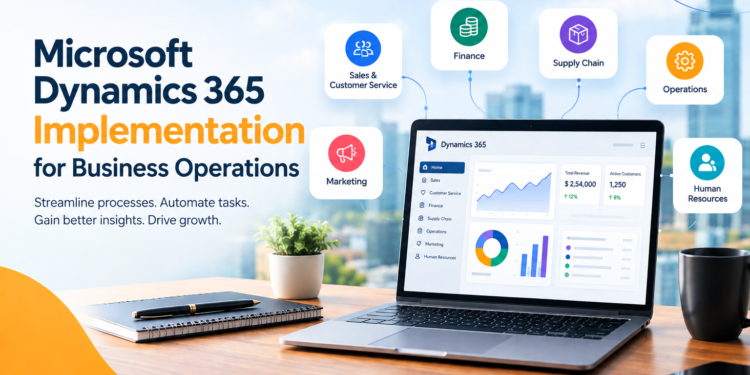
Microsoft Dynamics 365 Implementation can help modern business organizations manage many daily tasks. They deal with customer data as well as finance, sales, inventory, employees, and daily work. The use of different systems to handle these functions can be confusing. Data may remain in different places. Teams could spend more time looking for data. Work that is manual can increase the chance of making mistakes. Microsoft Dynamics 365 can make Business Operations easier. It can help businesses manage their daily work in a better way. Microsoft Dynamics 365 brings different operations into one platform. It assists companies in managing processes, enhancing visibility, as well as supporting decisions.
But just picking the program isn’t enough. A successful implementation starts with good planning. All parts of the system should work together properly. The system must be tested before use. Users should also check the system and give their approval. The right Microsoft Dynamics 365 implementation services help industry create a system that fits their needs. It also makes work easier to manage. This article will explain the ways Dynamics 365 implementation can change how your company operates. The implementation can aid in growing your business in the future.
What Is Microsoft Dynamics 365 Implementation?
Microsoft Dynamics 365 is a series of cloud-based solutions for business needs. The applications are designed to support various areas within an organisation.
Based on business requirements, businesses can use options for:
- Sales
- Customer service
- Finance
- Supply chain
- Operations
- Marketing
- Human resources
- Management of business
The platform allows companies to connect vital processes and data.
Thus, teams have greater visibility and can access data more quickly.
Why Businesses Need Connected Operations
A lot of companies use separate software for various divisions.
Examples:
- Sales teams may use one of the systems.
- The finance team can use a difference.
- Data on inventory may be in an application separate from.
- Information about customers can be saved on different platforms.
It can lead to data silos.
Thus, employees could be required to fill in the exact same data many times. Also, reports can take more time to complete. Connected business systems can assist in solving these issues. Enterprise web development can also play an important role in creating connected business environments. It can help organizations build scalable web solutions that work with existing business systems, improve data accessibility, and support smoother digital operations. Microsoft Dynamics 365 Implementation for Business Operations helps businesses bring essential processes together. This will help people communicate better. It will reduce the need for manual work. It will also make daily tasks clearer.
How Microsoft Dynamics 365 Implementation Transforms Business Operations
A good plan can help a business work better. It can improve daily tasks, save time, and make work more efficient.
Here are some of the most important strategies Dynamics 365 can support for operational transformation.
-
Connects Business Data
Business decisions are based on accurate data. However, systems that are not connected cannot share information easily. This makes it harder to understand all activities. Dynamics 365 can help connect data from various departments.
It has several advantages:
- Easy access to information about the business
- Reduced duplication of data
- Improved coordination between teams
- More reliable records
- More accurate reporting
Sales and customer service teams can work together using customer data. This helps them serve customers better.
This will help teams respond more quickly and make better choices.
-
Automates Repetitive Tasks
A large number of business processes involve repetitive manual tasks.
Employees do many routine tasks at work. They enter data, send updates, and prepare reports. They also transfer data between systems. Automation can help reduce this burden. With the proper setup, companies can automate the following tasks:
- Approval workflows
- Notifications
- Updates to the data
- Customer follow-ups
- Report generation
- Routine business processes
In the end, employees can spend more time focusing on their jobs.
Automation can also reduce errors made by hand.
-
Improves Customer Relationship Management
The expectations of customers continue to rise. Customers expect quicker answers and superior service. This is a problem as customer data is scattered across various systems. Dynamics 365 can provide teams with greater access to information about customers.
This could include:
- Customer history
- Previous interactions
- Opportunities to sell
- Support requests
- Communication records
Employees can understand their customers better. They can learn what customers need and help them in a better way. Sales and service teams may also collaborate more efficiently.
-
Help Better Decision-Making
Business leaders need exact data to make educated decisions. In the event that reports are prepared manually, it could slow the process. Dynamics 365 helps businesses organize crucial data to report and analyze.
Teams can check areas like:
- Sales performance
- Financial activity
- Levels of inventory
- Customer trends
- Operational performance
This could provide greater visibility to the company.
Thus, decision-makers can spot issues and options more quickly.
-
Helps Improve Financial Management
Managing financial processes requires accuracy. Manual processes can make financial transactions more complicated. Dynamics 365 can support different financial operations.
This could include:
- Budgeting
- Financial reporting
- Control of the accounts
- Tracking of expenses
- Monitoring cash flow
A connected system may provide better access to financial data.
This means that finance teams will save time in gathering data from various sources.
They can focus on analysis and making plans.
-
Strengthens Supply Chain Operations
Supply chain management is a complex process that involves many moving components.
A business has many things to manage. These include stock, suppliers, orders, warehouses and deliveries. Managing them well keeps the industry running smoothly.
Lack of visibility could result in late and costly expenses.
Dynamics 365 can help businesses get better control of these areas.
The benefits of this include:
- Greater visibility for inventory
- Increased demand planning
- Easier order management
- Stronger supplier coordination
- Better warehouse operations
This helps companies adapt more quickly to changes in demand.
-
Improves Employee Output
People work better when they have the tools and data they need. They can complete their tasks with less trouble.
Switching between different demands can take up a lot of time.
Connected Dynamics 365 environment can simplify everyday tasks.
Employees can access pertinent data from a central database.
This could be helpful:
- Reduce repetitive tasks
- Enhance team communication
- Help workflows
- Reduce the time spent looking for information
- Enable faster task completion
In the end, teams can concentrate on the work they enjoy
The Importance of Proper Implementation
The advantages that come from Dynamics 365 depend heavily on the way in which it is used.
Unplanned implementations can cause issues.
For Example:
- The system might not correspond to the business processes.
- Some users may have difficulty adjusting to it.
- Data migration may cause errors.
- Integrations might not function properly.
- The complexity of customizing can be difficult to manage.
A clear plan is important when businesses start using new software. Microsoft Dynamics 365 implementation services can help with the process. The goal is more than installing software.
Key Steps in Microsoft Dynamics 365 Implementation
A successful implementation typically requires a planned method.
Step 1: Microsoft Dynamics 365 Implementation Requirements
It starts with understanding the business. The team responsible for implementation should look over:
- Current workflows
- Systems in place
- Business problems
- Requirements for users
- Plans for growth
This can help identify what Dynamics 365 solutions need to be able to achieve.
Unclear needs can make businesses spend money on features they do not need.
Step 2: Choose the Right Dynamics 365 Applications
Dynamics 365 offers different applications. Not every business requires every single feature. The best solution depends on the company.
For example:
- Companies that are focused on sales may have CRM capabilities. Manufacturers might have tools to manage supply chains.
- Companies that are growing may need finance and management tools for business.
- Service-oriented businesses could focus on customer service.
- Selecting the right software can reduce the complexity and costs.
Step 3: Plan Data Migration
Data is an essential component of the implementation. Companies often store information in outdated systems.
The information could comprise:
- Customer records
- Financial information
- Product data
- Employee details
- Historic transactions
Before moving data, businesses should check it carefully. They should find any wrong, repeated, or old records. These records should be updated or removed. A good migration plan can reduce errors. It can also improve the quality of the data.
Step 4: Configure and Customize the System
Every business is different. Thus, Dynamics 365 may need modification or configuration.
This could include:
- Custom workflows
- Business rules
- Dashboards and forms
- Reports
- User roles
- Approval procedures
Businesses should be careful to avoid any unnecessary modifications. A lot of changes could cause future updates to be more difficult. A good approach is to use the platform’s main features. You can also make some changes to fit your needs. This gives you more control. It can also make your work easier.
Step 5: Integrate Existing Systems
Many businesses are already using other software.
They could include:
- Platforms for e-commerce
- Payment systems
- Tools for marketing
- Applications from the past
- Third-party databases
Integration enables these systems to communicate relevant information. This helps reduce the need for manual data entry. It also can make a more connected business environment.
Step 6: Test Before Going Live
Testing is a crucial component in Microsoft Dynamics 365 Implementation for Business Operations.
Companies must test:
- Business workflows
- Data accuracy
- Permissions granted to users
- Integrations of systems
- Reports
- Performance
Testing can identify problems before relying on the system. It also gives the opportunity to make the necessary changes.
Step 7: Train Users
Even the most sophisticated technology can be ineffective if users are not able to use it. Training for users should be focused on the daily activities.
Training may comprise:
- System navigation
- Specific features for roles
- New workflows
- Tools for reporting
- Best practices
Training that is simple and practical can increase the rate of acceptance.
It may also decrease the amount of resistance from users.
Step 8: Provide Ongoing Support
The implementation process doesn’t stop after the system is operational. Businesses may need continued support.
This may comprise:
- Technical help
- Monitoring performance
- System updates
- Help for users
- New integrations
- Process improvement
Continuous support for businesses helps them get greater value from their investments.
Benefits of Microsoft Dynamics 365 Implementation Services
Utilizing experienced implementation experts can help simplify complex projects.
Microsoft Dynamics 365 implementation services by Aegis Softtech will provide support throughout the entire process.
The benefits of this are:
- More effective implementation planning
- Expertise in technology
- Custom-designed solutions
- Safer data migration
- Reliable system integration
- Training for users
- Quality checks and testing
- Support continues
Implementation experts can also assist companies in avoiding common errors. This could help you save time and cut unnecessary costs.
Conclusion
Microsoft Dynamics 365 Implementation for Business Operations makes business work easier. It helps teams manage their tasks and data in one place. This saves time and reduces extra work. It also gives businesses a better way to grow in the future. It brings important information and tasks together in one place. This reduces manual work and saves time. It is also helpful for teams to understand what’s happening in the organization. By having better data, employees make more informed decisions.
However, good planning is important for a successful setup. The right Microsoft Dynamics 365 implementation services can help businesses at every stage. They help find the right business needs. They can move old data to the new system. They can also connect different tools. They can also help businesses serve customers better. Over time, it can give the business a strong base for growth.