


“Best practices” in software development is one of the most overused phrases out there. Everyone has heard the same advice a hundred times: communicate better, document more, test often. Sure, those things matter. But when you are actually building software, juggling feature deadlines, API dependencies, unpredictable scope changes, and production bugs at 2 a.m., the real best practices look very different.
In real projects, best practices are not checklists. They are the habits and technical decisions that help teams move from an idea to a stable product without losing speed or quality. Whether it is a small startup or a large enterprise, every team faces the same phases: discovery, planning, design, development, testing, deployment, and continuous improvement.
Today, custom software development revolves around adapting proven methods like Agile, DevOps, and CI/CD to real business goals.
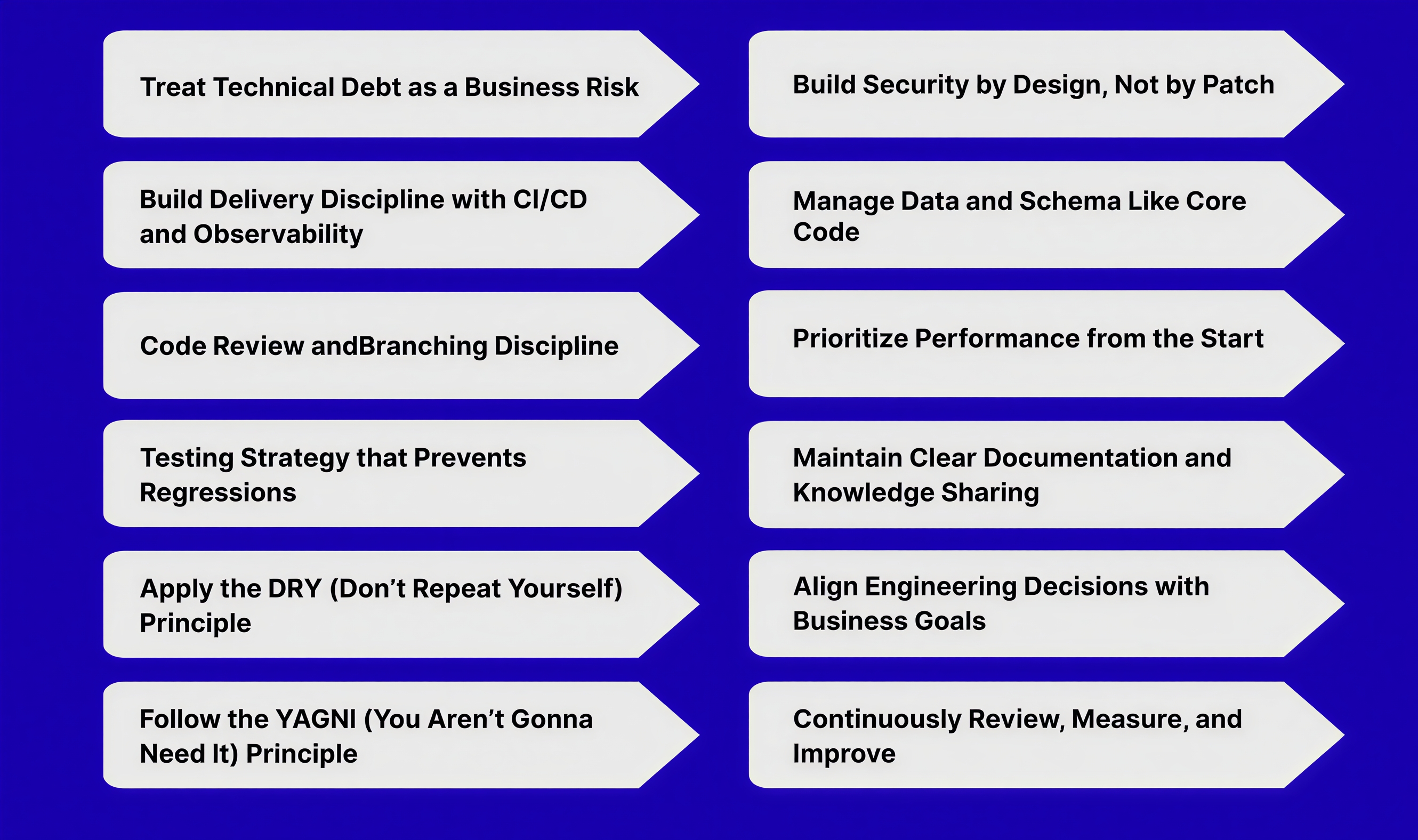
This guide explains 12 Custom Software Development best practices that truly impact how software is built and delivered today.
The 12 Custom Software Development Best Practices
Even with modern frameworks, automation tools, and cloud platforms, many software teams still face the same core issues: unclear goals, rushed planning, poor testing, and code that becomes hard to maintain after a few sprints. In the push to ship fast, real best practices often get replaced by quick fixes and assumptions.
Applying the right approach during design and development makes a visible difference in both performance and delivery. These 12 best practices are shaped by real project experience and lessons learned from what consistently works in active software teams.
1. Treat Technical Debt as a Business Risk
Technical debt slows delivery, increases bugs, and raises long-term costs. Every skipped refactor or quick fix creates hidden complexity that eventually impacts performance and team efficiency. Managing it early keeps projects stable and scalable.
Maintain a visible tech debt backlog with clear ownership and impact. Dedicate a fixed portion of each sprint to address it. Small, consistent cleanups prevent large reworks later.
Enforce CI quality gates for linting, coverage, and security checks to stop new debt from entering the codebase. Review the architecture quarterly to spot fragile areas and record major decisions through short ADRs.
Start with this:
- Add a tech debt board with top recurring issues.
- Enforce CI checks that fail on poor quality metrics.
- Schedule a short technical review each quarter.
2. Build Delivery Discipline with CI/CD and Observability
A stable delivery pipeline prevents deployment chaos. Manual steps, inconsistent builds, or missing visibility always lead to production issues. In modern web development, CI/CD and observability must be part of the foundation, not add-ons.
Automate the build, test, and deploy process using tools like GitHub Actions or GitLab CI. Every commit to the main branch should run tests, security checks, and generate deployable artifacts. Keep the main branch always ready for release and use feature flags for partial work.
Integrate observability early. Add tracing with OpenTelemetry, structured logs for debugging, and metrics with Prometheus or Grafana. Define clear SLOs like latency and uptime, and set alerts that trigger only when user experience is at risk.
Start with this:
- Create one automated pipeline from build to deploy.
- Add logs, traces, and metrics to all core services.
- Define key SLOs and test alert accuracy.
A clean CI/CD setup with solid observability gives teams faster releases, fewer rollbacks, and complete control over system health.
3. Code Review and Branching Discipline
Code review should not be treated as a formality. It helps improve quality and allows the team to share knowledge. Keep pull requests small and focused so reviewers can easily understand the changes and spot possible issues. Use trunk-based development with short-lived branches and feature flags to avoid complex merges.
Also, protect important branches by requiring checks, assigning code owners (CODEOWNERS), and setting clear review timelines (SLAs).
Apply a simple review checklist that covers correctness, security, performance, and readability. Pair or mob on risky changes to cut review cycles and defects.
Start with this:
- Keep pull requests under 300 lines with a single intent.
- Require at least one qualified reviewer via CODEOWNERS and block merges until checks pass.
- Add a lightweight checklist to the pull request template and measure review turnaround time.
4. Testing Strategy that Prevents Regressions
Adopt a clear testing pyramid. Most tests are fast unit tests, critical paths use integration tests, and a small layer of end to end smoke tests protects user flows.
For services, add API contract tests and consumer-driven contracts to keep integrations stable. Quarantine and fix flaky tests quickly, or they will erode trust. Manage test data with factories or fixtures and seed predictable datasets in CI. Run tests in parallel and fail fast to keep feedback tight.
Start with this:
- Enforce unit tests for business logic and add smoke tests for top user journeys.
- Add contract tests for each external or internal API and version your APIs for backward compatibility.
- Track flaky tests and fix or remove them within one sprint.
5. Apply the DRY (Don’t Repeat Yourself) Principle
Repetition in code leads to bugs and slows future changes. If logic is repeated, you will eventually fix one place and forget the others. DRY ensures every piece of knowledge exists in one clear location.
Keep shared logic in reusable modules, services, or libraries. Avoid copy-pasting similar methods across microservices or components; use abstraction or shared utilities instead. In frontend projects, extract shared UI logic into hooks or components. In backend services, centralize validation, error handling, and logging patterns.
When DRY helps:
- Shared business rules (like tax, pricing, or authentication).
- Common infrastructure utilities (logging, config, metrics).
When DRY hurts:
Don’t over-abstract early. Duplicate code temporarily if the contexts differ significantly — premature abstraction leads to complexity.
Example:
A team duplicated authentication logic across three services. Months later, updating password policies required three separate code changes. Refactoring that into a shared auth module reduced bugs and deployment effort.
6. Use the YAGNI (You Aren’t Gonna Need It) Principle
Developers often over-engineer by building features “just in case.” YAGNI prevents that. Build only what is required today, based on confirmed business or technical needs.
Avoid adding unnecessary configuration layers, generic base classes, or unused endpoints. Start simple, then evolve based on data and feedback. This keeps your system lean, faster to build, and easier to refactor.
Actionable reminders:
- Add code only when there is a real, validated use case.
- Do not build generic APIs unless at least two consumers need them.
- Delay complex patterns (event sourcing, CQRS, etc.) until the scale demands it.
Example:
A startup built a complex plug-in system before having its first external partner. It delayed the launch by two months. The feature was never used. A simpler configuration would have been enough.
We’ve covered six Custom Software Development Best Practices that strengthen code quality and delivery. In 2026, what truly separates strong teams is how early they focus on security and data — the two areas that define product reliability and scale.
Let’s move to the next two essentials.
7. Build Security by Design, Not by Patch
Security must start at design time, not after deployment. Every decision from API design to database access should follow secure defaults.
Use OWASP Top 10 as your baseline. Integrate static and dynamic scans (SAST/DAST) into CI/CD. Store credentials in Vault or AWS Secrets Manager, never in code or config files. Apply least privilege access to all users, APIs, and services. Log every deployment and access attempt for auditability.
Start with this:
- Add automated security scans in the pipeline.
- Store and rotate secrets securely.
- Run a quick threat review before major releases.
Building security early avoids expensive rework and ensures trust at scale.
8. Manage Data and Schema Like Core Code
Data structure mistakes can break production faster than bad code. Treat schemas and migrations as versioned code, reviewed, tested, and deployed through CI/CD.
Use automated migrations managed through your CI/CD pipeline. Never apply direct changes in production databases. Keep schema updates backward compatible and reviewed like any other feature.
Start with this:
- Automate migrations and test them before release.
- Review every schema change like a code PR.
- Backup and monitor data regularly.
Disciplined data management keeps systems consistent, scalable, and safe from downtime.
9. Prioritize Performance from the Start
Performance and scalability should be considered during design, not after launch. The choice of architecture and tech stack determines how efficiently your system handles growth.
Use modern, cloud-friendly technologies such as React, React Native, Next.js, Node.js, and AWS to build scalable, high-performing applications. The focus should be on selecting tools that align with your product’s workload, user scale, and long-term maintainability.
Design APIs and workflows to handle increased traffic. Monitor latency, resource usage, and throughput early in development. Apply caching, indexing, and asynchronous processing to reduce bottlenecks and improve response times.
10. Maintain Clear Documentation and Knowledge Sharing
Code alone is not enough. Teams that scale well document how things work and why decisions were made. Good documentation reduces dependency on individuals and speeds up onboarding.
Keep project documentation close to the codebase in README files, wikis, or internal knowledge tools. Update it alongside code changes. Document APIs using OpenAPI or Swagger, and maintain a simple architectural overview showing services, dependencies, and key flows.
Encourage engineers to write short decision notes or post-mortems after major releases. These become valuable references for future improvements and incident prevention.
Start with this:
- Keep technical docs updated in version control.
- Document APIs and architectural diagrams.
- Write short retros or decision notes after each major release.
Teams that share knowledge build faster, repeat fewer mistakes, and remain strong even as members change.
11. Continuously Review, Measure, and Improve
Great software teams never stop learning. After every sprint or release, review what worked and what didn’t, not only in code but also in process and collaboration.
Track engineering metrics such as deployment frequency, change failure rate, and time to recovery. Use these to guide improvement, not to blame. Regular retrospectives, incident reviews, and refactoring sessions keep your system and team evolving.
- Schedule short retrospectives after each sprint or incident.
- Track and discuss metrics like deployment speed and rollback rate.
- Set one measurable improvement goal every month.
12. Align Engineering Decisions with Business Goals
The best code means little if it doesn’t serve the product vision. Every architectural decision, backlog priority, or optimization should support measurable business outcomes. Engineers who understand business context make better technical trade-offs.
Discuss priorities with product teams regularly. Choose tools and patterns that match business scale, not trends. Avoid over-engineering features that don’t create user value, and never delay delivery for “perfect” architecture that doesn’t improve ROI.
- Involve tech leads in roadmap planning.
- Tie major technical tasks to business metrics like performance, cost, or user growth.
- Review whether ongoing work aligns with company goals each quarter.
Final Tips for Custom Software Development Best Practices
AI is now shaping how modern teams design, build, and deliver software. Using AI-assisted tools like Copilot or Cursor improves productivity, code quality, and overall development speed.
Recent insights from the Stack Overflow 2025 Developer Survey reveal that around 84% of developers either use or plan to use AI tools in their development workflow, compared to 76% the previous year. Nearly half of professional developers now rely on AI tools every day, showing how quickly artificial intelligence has become an integral part of modern software development rather than an optional addition.
Strong software delivery still depends on how consistently teams apply SDLC best practices in their daily work. Reliable software comes from habits like clean code reviews, automated testing, and continuous integration.
Even if you work with a custom software development company, take time to understand their approach. Ask how they manage delivery pipelines, handle testing, and maintain documentation. A team’s discipline in these areas directly reflects the quality and long-term reliability of the product they build.
If you found this guide helpful, stay connected for more practical insights and real-world strategies on applying the best Custom Software Development Best Practices in 2026 and beyond.